
dubk1ngzo
Administrators
-
Joined
-
Last visited
Everything posted by dubk1ngzo
-
Help look after the plugins, settings and tools behind Detroit and Land of Ash. Tell us about something you've worked on and how you tested it. We want people who can explain a change, keep player data safe and undo an update when it goes wrong. You'll start with a supervised task on a test server. The owner will agree any live server access separately. You can help with Land of Ash, Detroit or both. Read what the role involves and what we expect from the team before applying. Sign in to apply. We'll ask when you're available, what experience you have and how you'd handle a few situations. Your answers are only visible to the people reviewing applications. Use your public Steam profile or SteamID; adding Discord is optional. Leave out passwords and other people's private details. If you need to correct an answer, contact us through the Support Center.
-
Want to help out with Land of Ash, Detroit or both? We're taking applications for the Rust team. There are a few different ways to contribute, whether you enjoy helping new players, hosting events or working on servers. Player Support Helper: answer questions and help players get the right support. About the role · ApplyModerator: investigate reports and help enforce the rules, starting with a supervised trial. About the role · ApplyQA Playtester: test maps and changes, and help us track down bugs. About the role · ApplyCommunity & Events: plan activities and help run them for the community. About the role · ApplyDeveloper / Server Technician: work on plugins, settings and server maintenance. About the role · Apply Read about the role you're interested in and our team expectations, then sign in and use its application form. Each form has 13 questions about your availability, experience and situations you could run into. Tell us what you can comfortably help with; you don't need to promise every spare hour. Your answers go to the application reviewers. Please don't post them in a public thread. We need your public Steam profile or SteamID, and a Discord username is optional. Never send login details. For a correction or question about your application, use the Support Center. If we think it's a good fit, we'll follow up and discuss a supervised trial, the time you can give and any payment arrangements before you start. Acceptance doesn't automatically give you staff permissions. Senior staff and leads are chosen internally. There are no application fees, and purchases or donations won't buy a place on the team.
-
The technical team looks after plugins, settings and the tools that keep our Rust servers running. Players build hours of progress on these servers, so even a small change deserves a careful check. Start by explaining the problem and what you plan to change. Test it away from the live servers first, then have another team member look it over. Check the thing players will actually do in-game; a server starting without an error doesn't tell us whether a door opens, a command works or progress survives a restart. Before a live change, agree on it with the owner, take the relevant backups and make sure you know how to restore them. Check which server you're connected to. If something unexpected happens, stop and let the team know rather than stacking more changes on top. After a Rust or Oxide update, check that the map and plugins still work before allowing automatic wipes to run again. Leave the wipe on hold if you haven't checked yet, even if it's due. If recovery might lose player progress, explain that before restoring an older backup. Leave a short record of what changed, what you tested and anything still unresolved. Keep passwords and access keys out of posts, screenshots and shared logs. Report a leaked credential privately so it can be replaced. New technical staff start with a supervised task on a test server. Live server access is arranged separately for the work they're trusted to carry out. Apply as a Developer or Server Technician
-
Have an idea for something the Rust community would enjoy? Help us plan events, write announcements and run them on the day. You'll work with the team on the rules, timing and staff cover before announcing anything. Events should be easy to join and fair for everyone. Check with the owner before offering prizes or changing the server. You can help with Land of Ash, Detroit or both. Read what the role involves and what we expect from the team before applying. Sign in to apply. We'll ask when you're available, what experience you have and how you'd handle a few situations. Your answers are only visible to the people reviewing applications. Use your public Steam profile or SteamID; adding Discord is optional. Leave out passwords and other people's private details. If you need to correct an answer, contact us through the Support Center.
-
A good event is easy to join, fair to play and worth coming back for. Community and Events staff help come up with ideas, explain them to players and keep things running on the day. Start with an idea the team can realistically host. Work out where it will run, how long it should take, how players join and how a winner is decided. Talk it through with the team before announcing it. Any prizes, special commands or changes to the server need approval first. When the plan is ready, the announcement should give players the start time and timezone, joining instructions, rules and any agreed prizes. Make sure the host and any moderators you need are actually available. If that changes, tell players promptly. During the event, keep instructions clear and apply the same rules to everyone. Ask a moderator to deal with cheating or harassment. If a dispute involves you or your friends, have another staff member review it. Pause the event if a server problem or missing staff makes it unfair to continue. Afterward, confirm the results, make sure approved prizes reach the right players and ask what people enjoyed or found confusing. If something went wrong, discuss it with the team before planning the next one. Check before sharing footage, and keep private messages and reports out of it. Apply for Community & Events
-
Help us find the bugs that get in the way of a good session. Playtesters try map features and server changes, then tell us what worked and what didn't. You don't have to write plugins. Clear notes, useful clips and patience when trying something again matter more. We'll agree on what to test and where. If you find an exploit on a live server, stop and report it privately. Any further testing needs to happen on a test server. You can help with Land of Ash, Detroit or both. Read what the role involves and what we expect from the team before applying. Sign in to apply. We'll ask when you're available, what experience you have and how you'd handle a few situations. Your answers are only visible to the people reviewing applications. Use your public Steam profile or SteamID; adding Discord is optional. Leave out passwords and other people's private details. If you need to correct an answer, contact us through the Support Center.
-
Playtesters help us catch problems before they spoil someone's session. You might check a monument, try a plugin change or work through a bug another player has reported. You don't need to know how to write plugins, but you do need to explain what happened clearly. Before you start, check with the person running the test so you know which server to join and what needs checking. Don't try item duplication, deliberate crashes or destructive tests on a live server. If you find something that could be abused, stop and report it privately through the Support Center. A useful bug report tells us: Which server you were on and where the problem happened.What you did, in the order you did it.What you expected and what actually happened.Whether it happened again, with a clip or screenshot if that helps show it. For example, “the door doesn't work” leaves a lot to guess. Naming the monument, showing the door and explaining what happens when you interact with it gives someone a place to start. After a fix, try the same steps again. If it needs another player or a restart to check properly, say that instead of calling it finished. Report what you actually tested, including anything you couldn't complete. Apply to be a QA Playtester
-
We're looking for calm, fair moderators who can listen to both sides and explain their decisions. You'll help with player reports and server rules. New moderators start with a supervised trial, working through reports with someone experienced. If a report involves your friends or your own team, another moderator should handle it. You can help with Land of Ash, Detroit or both. Read what the role involves and what we expect from the team before applying. Sign in to apply. We'll ask when you're available, what experience you have and how you'd handle a few situations. Your answers are only visible to the people reviewing applications. Use your public Steam profile or SteamID; adding Discord is optional. Leave out passwords and other people's private details. If you need to correct an answer, contact us through the Support Center.
-
Moderators handle reports, help settle disputes and enforce the server rules. You'll sometimes be dealing with people who are angry with each other, so staying calm and listening matters as much as knowing Rust. Before taking action, find out what happened. Check the server, player names, time and the rule involved. Watch the full clip when it's available, and ask for the missing context. A suspicious shot or several people repeating an accusation isn't enough on its own to decide someone is cheating. Keep the report private while you investigate. If it involves your team, a close friend or someone you're already in a dispute with, ask another moderator to handle it. Anything you learn through staff tools stays out of your own gameplay and team chat. When you do take action, leave a short note explaining why, which rule applies and where the supporting clips or logs are. Include when a temporary punishment ends. Explain the decision to the player without identifying the reporter or sharing private staff discussion. Appeals go through the Support Center and need a reviewer who wasn't responsible for the original decision. New moderators begin with a supervised trial. Your supervisor will walk through reports with you and agree which commands you can use. More access comes after review; it isn't included automatically with an accepted application. Ask before acting if you're unsure about a punishment. Apply for a moderator trial
-
Like helping new players find their feet? Helpers answer everyday questions, point people to the right information and pass reports to moderators when needed. You don't need previous staff experience. Patience and a willingness to check an answer go a long way. You'll start alongside another staff member. Helpers don't get ban commands or server access. You can help with Land of Ash, Detroit or both. Read what the role involves and what we expect from the team before applying. Sign in to apply. We'll ask when you're available, what experience you have and how you'd handle a few situations. Your answers are only visible to the people reviewing applications. Use your public Steam profile or SteamID; adding Discord is optional. Leave out passwords and other people's private details. If you need to correct an answer, contact us through the Support Center.
-
Helpers are often the first person a new player speaks to. The job is to help them get settled, answer everyday questions and make sure problems reach someone who can deal with them. Start by finding out which server they're on and what's going wrong. For a connection issue, ask what error they see and whether they've been able to join before. Check the current joining guide and server status before suggesting changes to their game. A simple, accurate answer is more useful than a long list of things to try. When you don't know an answer, say so. Check with the team and come back to the player. Don't guess about rules, wipe dates or whether someone will get their items back. Reports about cheating, harassment or an exploit should go through the Support Center. Help the player include the server, approximate time and a clip or screenshot if they have one. Don't argue the case in public chat or promise a ban. A moderator will need to look into it. You'll start alongside a staff member who can answer questions and check your replies. Helpers don't have punishment or server-management powers. If you can't finish helping someone before you leave, pass along what you've checked and what still needs an answer. Apply to be a Player Support Helper
-
Players should be able to come to us for help without worrying about who they know or which team they play with. Whether you're answering questions, handling reports or working on the servers, that's what we expect from the Rust team. Be patient with people. A lost fight, a connection problem or a missing item can be frustrating. Listen, find out what happened and give an honest answer. If you don't know, check with someone who does. Don't guess about a wipe, promise items back or announce a punishment just to end an argument. Follow the published server rules. If something isn't clear, ask before making up an answer.Keep player reports and staff discussions private. Send sensitive reports to the Support Center, rather than discussing accusations in chat.Let someone else handle a report involving your friends, your own team or a player you're personally arguing with.Never use staff commands or information to help yourself or your teammates in-game. Keep your account and staff access to yourself. If you make a mistake, tell the team so it can be put right. If you need to leave during a report, let another staff member know what's still waiting. And if real life changes your availability, just speak up so we can plan around it.
-
Who's playing Land of Ash? Tell us your in-game name and when you're usually around. If you've already explored the map, what do you think so far? Share a screenshot, a build or something you found. If you're new, ask away. The joining guide has the connection command. To find someone to play with, start a post in Looking for a Group and put Land of Ash or One Grid in the title.
-
If you're playing Detroit, introduce yourself here. What's your in-game name, and when are you usually on? Feel free to share a base build, a screenshot or a story from your last session. We'd also like to hear how your first visit went. Haven't joined yet? Here's how to connect. If you're looking for teammates, post in Looking for a Group with Detroit in the title. See you on the server.
-
Land of Ash is our One Grid server. Open Rust on PC, press F1 and enter: client.connect 51.222.244.171:25579Close the console and give the map time to load. The Rust website also has a connect button and the current server status. Once you're in, /welcome reopens the welcome panel. Use /discord or /support for the Legion Studios Discord link. The Land of Ash leaderboard keeps your kills, deaths and time played separate from Detroit; recent activity may take a little while to show. Around the forumsShare screenshots, builds and map tips here, or drop into the welcome thread and introduce yourself. Looking for a Group — put Land of Ash or One Grid in the title, along with when you usually play.Help & Bug Reports — tell us which server you're on and what went wrong. An error message or screenshot helps.Suggestions & Feedback — tell us what you'd like to change.Announcements & Wipes — check here for wipe dates, maintenance and other updates.For connection problems, check the status page and update Rust before trying again. Send player reports, ban appeals and exploits through the private Support Center. No cheating, scripts, exploiting bugs or advertising. Follow the community rules and staff instructions.
-
To join Detroit, open Rust on PC, press F1 and enter: client.connect 51.222.244.171:25575Close the console while the map loads. You can also connect from our Rust website, where you'll find the server status. Useful linksType /welcome in chat to bring the welcome panel back. /discord and /support give you the Legion Studios Discord link. Your kills, deaths and time played are on the Detroit leaderboard; recent activity can take a little while to appear. This forum is for anything Detroit: screenshots, builds, map questions or what happened during your last session. Introduce yourself here if you're new. Need teammates? Post in Looking for a Group with Detroit in the title and your usual play times.Having trouble joining or found a bug? Use Help & Bug Reports and include the error or what happened.Have an idea for the server? Put it in Suggestions & Feedback.Wipe dates and server updates go in Announcements & Wipes.If you can't connect, check the server status and make sure Rust is updated first. Player reports, ban appeals and exploits should go privately through the Support Center. Keep it fair: no cheating, scripts, exploiting bugs or advertising. Follow the community rules and staff instructions.
-
Hey everyone, Let’s get something going here. For our first feedback session, I’m offering feedback on the first three projects shared in this thread. You can share a server homepage, plugin listing, build screenshot, Discord community layout, or another project you’re working on. Work in progress is welcome. To take part, reply with: Your project: A screenshot or public link. What you’re trying to do: Who it’s for and what you want it to achieve. What you want feedback on: First impressions, clarity, appearance, getting started, or a specific decision you’re stuck on. I’ll look through each of the first three submissions and explain what’s working, what feels confusing, and one practical improvement I’d make next. This is a focused feedback session, so keep your question specific enough that we can give it a useful answer. Everyone else is welcome to offer feedback too. Be constructive and explain your suggestions. You don’t have to submit a project to help someone with theirs. No purchase or finished product needed. Share what you’ve got, and let’s take a look.
-
Hey everyone, I wanted to start a place where we can actually get to know the people joining Legion. Whether you’re running a server, making plugins, building maps, learning something new, or just here to find a community, welcome. You don’t need a finished project or something to sell to join the conversation. Tell us a little about yourself: What games or projects are you interested in? Are you working on anything right now? What’s one thing you could use help with? A couple of sentences is plenty. Screenshots are welcome too. I’m the person behind Legion Network. I spend a lot of my time working on our servers, software, and website. I’d like these forums to become somewhere we can share what we’re making, get useful feedback, and help each other move forward. If you’re just getting started and don’t have anything to show yet, tell us what you’d like to make. What’s everyone working on?
-
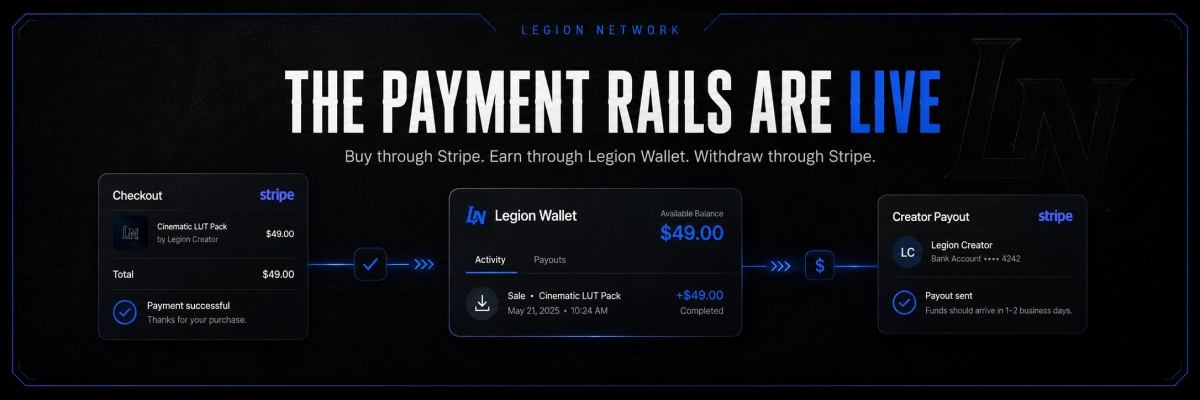
Hey Legion, The Legion Creator Wallet is now live, giving creators a place to track their Legion Market earnings, manage payout setup, and request withdrawals to a linked bank account through Stripe. We want you to be able to see what you have earned, understand what is still clearing, and withdraw eligible funds without an extra waiting period from Legion. Here is what that means at launch: - No added Legion reserve period. We do not add a fixed 7-day or 14-day wait to your earnings. - No Legion withdrawal minimum. You do not have to reach a $5 or $10 balance because of a Legion rule. Stripe's banking limits still apply. - No separate standard-withdrawal fee deducted by Legion. Legion currently covers Stripe Connect account and standard payout fees. Your wallet, explained Your Creator Wallet separates your earnings into balances you can follow: - Pending: earnings that are still clearing or are not yet eligible for release. - Available: eligible earnings you can request to withdraw. - Processing: money included in a withdrawal that is underway. - Reserved: money held against a specific risk or restriction, where applicable. You can also review your payout account status, see recent withdrawals, and download a CSV of your payout activity from Payouts and reports. The Creator Wallet tracks earnings from supported marketplace sales. Any separate site account credit is not the same as withdrawable creator earnings. How to get set up If you plan to sell paid resources on Legion Market, complete your payout setup first. 1. Sign in to your Legion Network account. If you are new, [create an account here](https://legionnetwork.org/register/). Existing members can use their current account. 2. Open your [Creator Wallet](https://legionnetwork.org/index.php?app=legionpayouts&module=wallet&controller=overview). You can also find Creator Wallet in your account menu. 3. Choose Payout setup. Select your country, read the creator earnings and payout terms, and accept them before continuing. 4. Continue to Stripe. Complete the identity, business, and bank information Stripe requests. Enter verification documents and full banking details through Stripe's setup flow. 5. Return to Legion and check your status. Your payout account needs to show Ready before you can withdraw. If Stripe requests more information or your account is still under review, complete the outstanding steps and allow that review to finish. Already connected your payout account? Open Payout setup and check for any outstanding requirements or updated terms to accept. You do not need to start over simply because the wallet has launched. Setup and withdrawals are available only for supported countries, currencies, and eligible bank destinations. Your wallet shows the payout options available to your account. What happens after a sale? When a supported marketplace purchase is paid through Stripe, your share of the sale is recorded after the applicable platform commission and payment-processing fees. Those earnings appear as pending while funding and eligibility checks complete. Once the funds are available through Stripe and your account and transaction meet the release requirements, eligible earnings become available in your wallet. Legion adds no calendar waiting period on top of that. Pending does not mean ready to withdraw. Stripe's clearing times, verification reviews, refunds, disputes, or account restrictions can still affect availability. Removing Legion's reserve does not remove those requirements or make every sale immediately withdrawable. How withdrawals work Open your Creator Wallet, select Payouts and reports, and use Request a payout. Choose an eligible linked destination and enter an amount in that destination's currency. You need enough available funds in that currency and an amount that meets Stripe's banking limits. The payout screen displays the applicable minimum. The wallet does not automatically convert one currency balance into another. Withdrawals are requested by you. Automatic bank withdrawals and Instant Payouts are not offered at launch. After you submit a request, Stripe and your bank determine delivery timing; an available wallet balance does not mean the money will arrive in your bank immediately. Fees, without the guesswork - Standard Legion Market platform commission: 3%. - Eligible Founding Creator and Ultimate members: 0% platform commission. - Payment-processing fees: the actual fee attributable to your sale is deducted from your earnings, including when your platform commission is 0%. - Stripe Connect account and standard payout fees: currently covered by Legion, with no separate standard-withdrawal fee deducted from your earnings. The platform commission and payment-processing fee are separate. A 0% platform commission does not mean Stripe processes the buyer's payment for free. Stripe first, PayPal next This launch supports Stripe payments for creator marketplace purchases and standard bank withdrawals through Stripe. PayPal integration is the next planned follow-up. We will announce it separately when it is ready. Get started Open your [Creator Wallet](https://legionnetwork.org/index.php?app=legionpayouts&module=wallet&controller=overview) and complete Payout setup before putting your paid resources on sale. The full [creator earnings and payout terms](https://legionnetwork.org/index.php?app=legionpayouts&module=wallet&controller=setup&do=agreement) explain availability, fees, withdrawals, refunds, and disputes. If you need help, [contact Legion support](https://legionnetwork.org/contact/) with the relevant order or payout reference. Please keep full bank details, identity documents, and verification codes out of forum posts and support messages. Thank you to everyone building and sharing their work on Legion Market. We look forward to seeing what you publish next. — The Legion Network Team
-
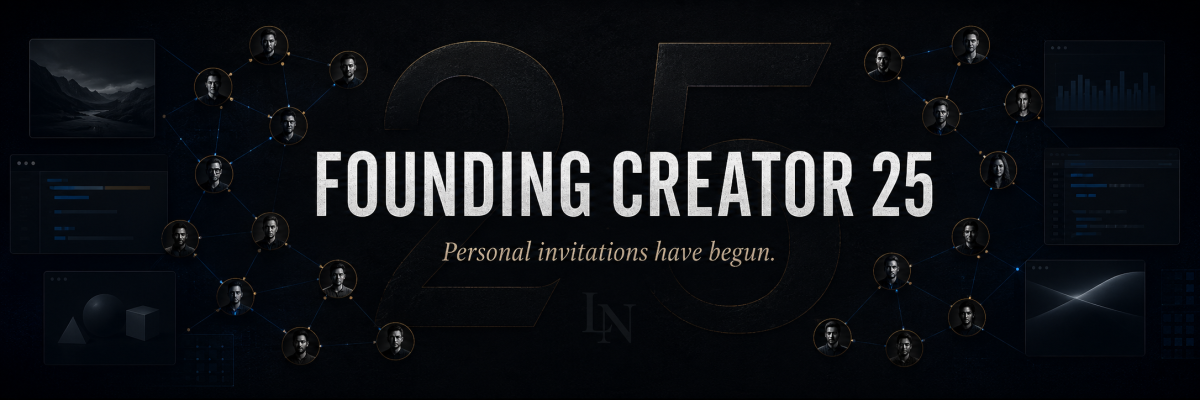
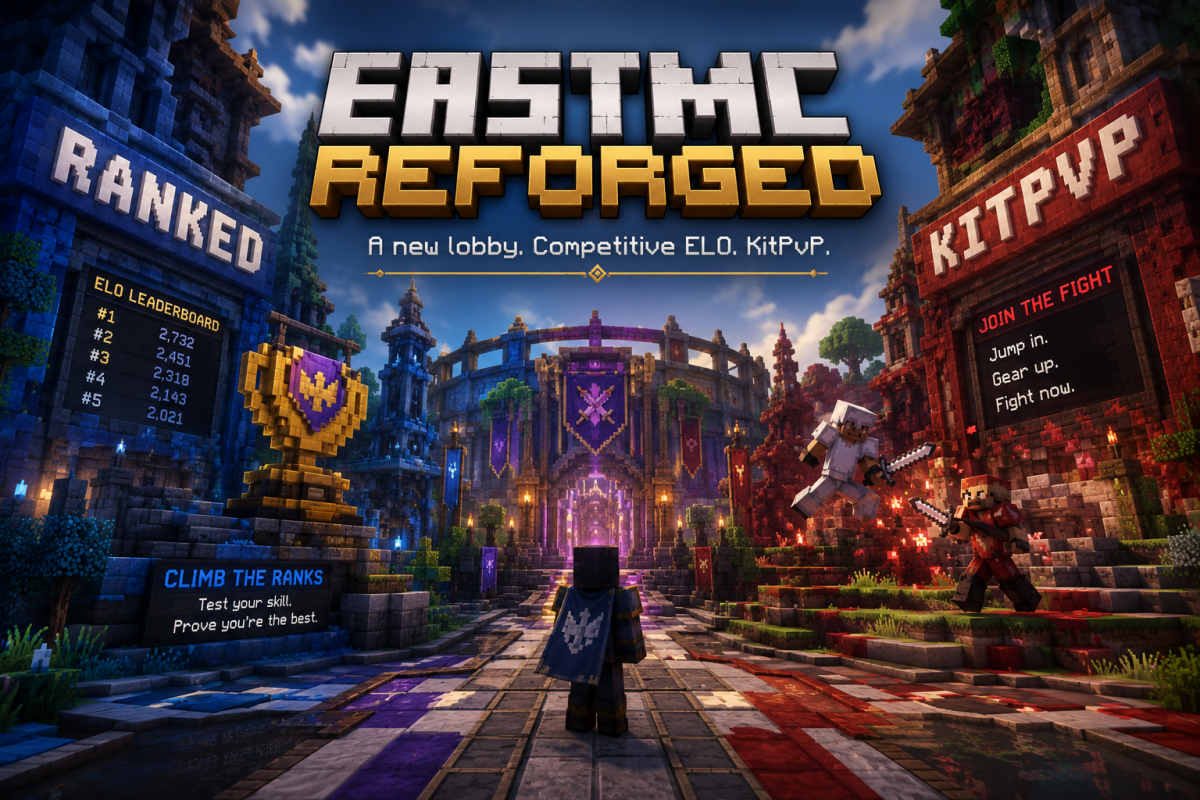
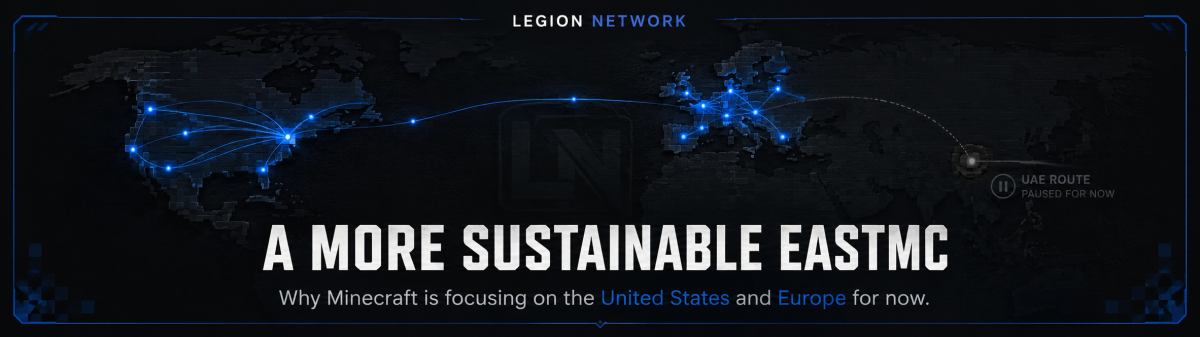
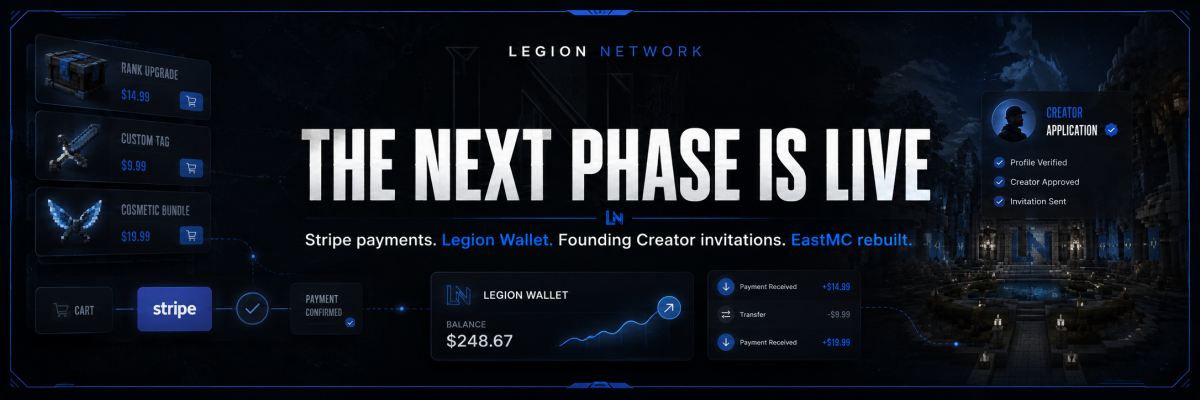
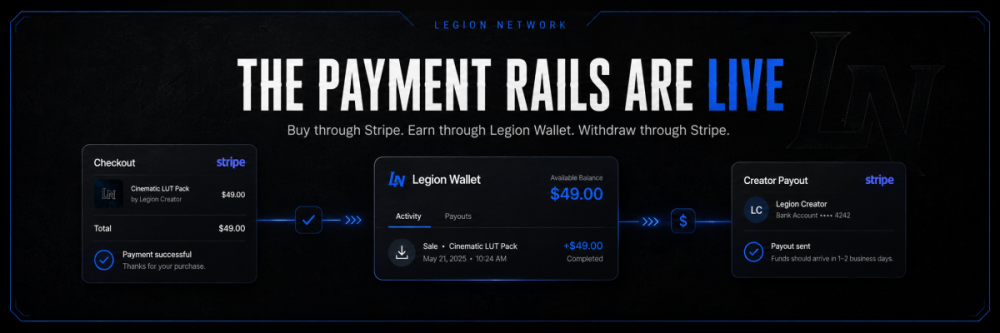
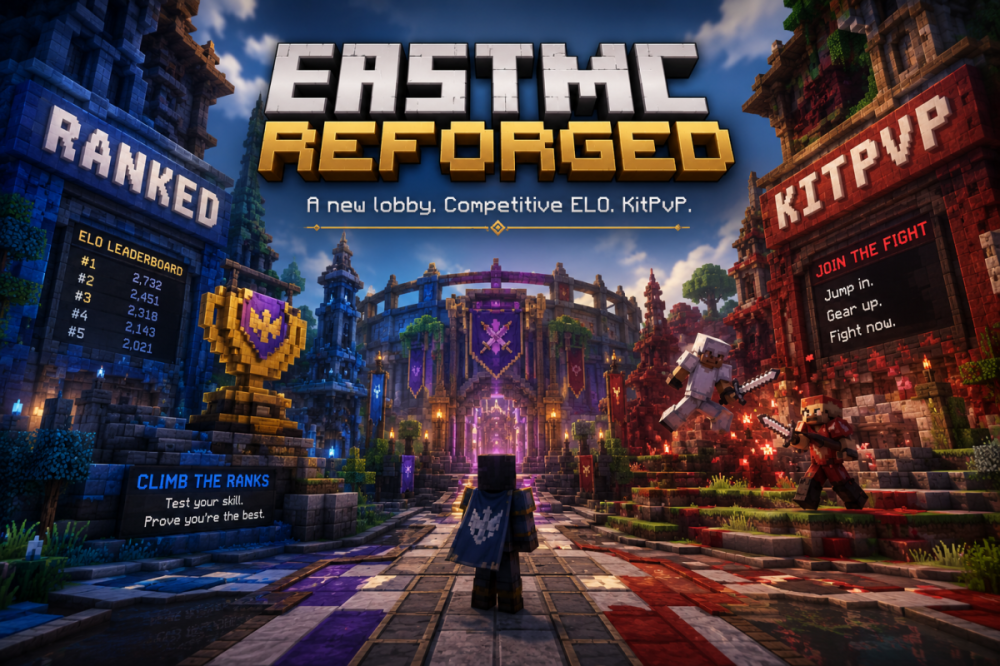
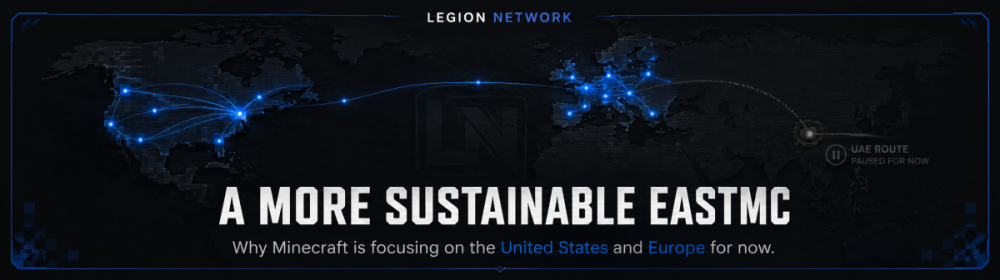
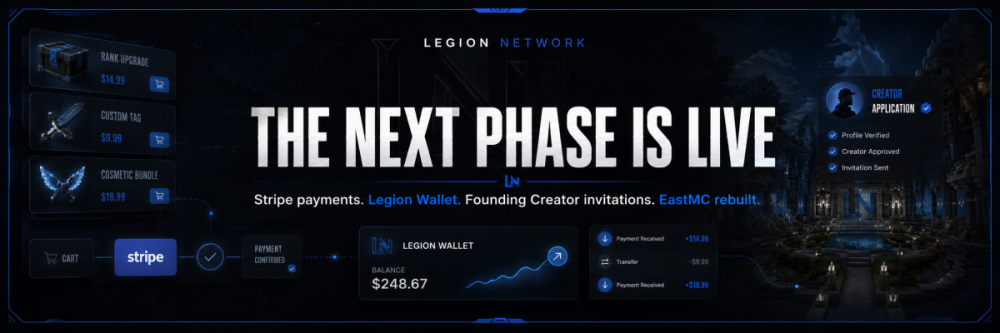
LEGION NETWORK’S NEXT PHASEFor the last several months, we have been building the parts of Legion Network that are easy to announce but much harder to make real. Anyone can add the word “marketplace” to a navigation bar. A functioning marketplace needs much more than product listings. Buyers need a reliable way to complete purchases. Creators need a clear record of what they have earned. Funds need a defined path from the original transaction to the creator receiving their money. Today, one of the largest missing pieces of Legion Market is finally in place. Stripe payment processing is now available for marketplace purchases, Stripe payouts are becoming our preferred withdrawal method, and the new Legion Wallet gives us the foundation needed to connect those systems properly. At the same time, we have begun personally reaching out to creators we know, use, follow, and respect to invite them into the Founding Creator 25. EastMC is also entering a new phase with a brand-new lobby, an expanded PvP experience, and a more sustainable infrastructure plan focused on the United States and Europe. This is one of the updates that is finally ready to be announced. STRIPE PURCHASES ARE NOW LIVE ON LEGION MARKETStripe now powers purchases made through Legion Market. For buyers, this creates a more familiar and dependable checkout experience. Instead of Legion Market relying on disconnected or manually managed payment arrangements, purchases can now move through an established payment processor with clearer transaction records. For creators, the more important change happens after a purchase is completed. Creator earnings can now enter the Legion Wallet system, giving each seller a central location for tracking the money they have earned through Legion Market. Once funds become eligible for withdrawal and the creator has completed the required Stripe payout setup, Stripe will be the preferred route for withdrawing those funds. The intended marketplace flow is now much clearer: A buyer purchases a product or service through Legion Market using Stripe. The marketplace records and processes the transaction. The creator’s earnings are reflected through Legion Wallet. Eligible funds can be withdrawn through the creator’s connected Stripe payout account. This gives us a real foundation for purchases, earnings, account balances, withdrawals, refunds, and transaction adjustments to exist within one connected marketplace system. It also means creators should not have to open a support ticket and wait for staff to manually arrange every routine payout. Some transactions will naturally require review, processing time, or additional verification, but the normal withdrawal process should not depend on somebody from our staff manually moving money every time a creator gets paid. That matters because manual payouts may work when a marketplace has three sellers. They become an administrative disaster once the marketplace begins growing, which humanity has apparently learned repeatedly and still insists on rediscovering. What this means for buyersBuyers now have a more established payment experience supported by Stripe. Purchases can be connected directly to marketplace orders, customer records, and the products or services being purchased. It also gives the Legion Network team better transaction information when we need to investigate a payment issue, refund request, marketplace dispute, or support case. What this means for creatorsCreators now have a more direct path between making a sale and receiving their earnings. The Legion Wallet is designed to show creators what they have earned through the platform and provide a central place from which eligible balances can be withdrawn. Stripe then handles the connected payout route rather than requiring creators to privately exchange banking or payout information with Legion Network staff. Creators may still need to complete identity, business, tax, or banking verification through Stripe before payouts can be enabled. Payout timing can also depend on transaction status, processing periods, refunds, disputes, and Stripe’s own account requirements. We want to be transparent about the distinction between Legion Network fees and outside transaction costs. Stripe processing fees, taxes, refunds, chargebacks, currency conversion, and other processor-related costs are separate from any Legion Market platform commission. The Legion Wallet does not exist to disguise those costs or trap creator earnings inside a pretend currency system. It exists to give creators a clear account-level record of their marketplace earnings and a practical route for withdrawing them. LEGION WALLET IS NOW PART OF THE PLATFORMYes, we finally created Legion Wallet. The name may sound simple, but the system solves one of the most important problems a creator marketplace has to address: where marketplace earnings go before they are withdrawn. Before Legion Wallet, it would have been much harder to build a scalable creator economy across the different parts of Legion Network. Every sale, commission, refund, adjustment, affiliate reward, service payment, or future creator earning would risk becoming its own disconnected system. Legion Wallet gives us a central foundation. It is not intended to replace a creator’s bank account, and it is not a cryptocurrency project wearing an unnecessarily dramatic cape. It is the internal marketplace layer that connects eligible earnings with creator withdrawals. Our preferred withdrawal path will be: That structure gives us room to continue improving the creator dashboard, transaction history, payout visibility, and other earning systems as Legion Market grows. More importantly, it gives creators a clearer answer to the question every serious marketplace must be able to answer: We can now answer that question with a functioning system rather than a roadmap bullet point. PERSONAL FOUNDING CREATOR INVITATIONS HAVE BEGUNWith Stripe purchases, Legion Wallet, and creator payouts now connected, we are finally beginning the next stage of the Founding Creator 25 program. We have started personally contacting creators whose work we have purchased, used, followed, recommended, or respected. This is not intended to be a mass direct-message campaign. We are not filling 25 positions with random accounts so we can announce that the program is full. We want the first creators on Legion Market to help establish the standard for the creators who arrive after them. That means we are looking at more than audience size. We are considering: The quality and originality of a creator’s work. How they support the people who purchase from them. Their reputation within the communities they serve. The potential of their current and future projects. Whether they share our belief that creator marketplaces should work for creators rather than merely extracting from them. Some invitations will go to established developers and studios. Others may go to smaller creators whose work deserves more attention than it currently receives. The common factor is that these are creators we genuinely want to see building on Legion Market. What Founding Creator 25 representsThe Founding Creator 25 is the first group of creators helping shape the marketplace during its earliest public stage. Founding Creators are not simply being added as featured sellers. They are being invited to provide direct feedback on the systems, rules, categories, creator tools, and marketplace culture that Legion Network is building. Current Founding Creator benefits include: One of only 25 Founding Creator positions. 12 months of Legion Ultimate. 0% Legion Market commission while the included Ultimate period remains active. Permanent Founding Creator recognition, badge, and rank. Access to the private Founding Creator community and feedback discussions. A direct opportunity to influence future creator tools and marketplace development. Access to the wider Legion Network creator ecosystem, including community, education, collaboration, and future growth opportunities. Stripe processing costs, required taxes, refunds, disputes, and other external transaction expenses are not included in the 0% Legion commission benefit. We waited to begin this outreach seriously because we did not want to recruit creators into a platform that could not yet provide a credible answer regarding payments and withdrawals. Creators should not be asked to move their products, reputation, and customers onto a marketplace based entirely on promises. Now, when we invite someone to join Legion Market, we can show them a platform where buyers can make purchases, creators can receive earnings through Legion Wallet, and eligible funds can be withdrawn using Stripe. There is still more work ahead, but the economic foundation is no longer theoretical. EASTMC IS GETTING A BRAND-NEW LOBBYThe marketplace is not the only part of Legion Network receiving a major update. EastMC is being rebuilt around a stronger and more organized network experience, beginning with a brand-new lobby. The lobby will serve as the central entrance to EastMC rather than simply functioning as an empty room players pass through before selecting another server. It gives us a proper place to present the different EastMC experiences, communicate network information, guide new players, and build a more connected identity across the Minecraft network. A network lobby is the first environment many players see. It should make it immediately clear that EastMC is an active, intentional project rather than a collection of servers that happened to be placed behind the same proxy. The new lobby is an important part of rebuilding that first impression. A NEW EASTMC PVP EXPERIENCEEastMC is also introducing a rebuilt PvP server that expands beyond our existing competitive ELO system. The ELO system will remain the competitive backbone of EastMC PvP. Players who want structured competition, measurable progression, and ranked matchups will still have that experience. However, we also recognize that not every player wants to enter a ranked match every time they join the server. That is why the PvP server will also include KitPvP. KitPvP gives players a faster and more immediate combat experience. Players can jump into fights, test kits, practice mechanics, warm up before ranked matches, or continue fighting without needing every encounter to affect their competitive rating. The two systems serve different purposes: Competitive ELO provides structured ranked progression. KitPvP provides repeatable, immediate combat. Together, they give EastMC a more complete PvP environment. Competitive players can continue pushing their ranking, while players who simply want to fight can enter the action without being forced into the ranked system. This makes the PvP server more useful for both serious competitors and players who want a lower-pressure place to practice. WE ARE PAUSING THE EASTMC UAE NODEWe also need to be direct about an important infrastructure decision. For now, we will be shutting down the EastMC UAE node and consolidating our active Minecraft operations around the United States and Europe. This was not a decision made because we no longer see value in the UAE region or the player community that exists there. The problem is operational. Hosting a server in a region is not the same thing as properly supporting that region. A server operating for a UAE and surrounding-region player base needs active management during the hours those players are online. It needs staff members who can communicate with the community, respond to problems, organize activity, moderate players, and remain present during the region’s peak hours. At the moment, we do not have enough management coverage in the correct timezone to provide that consistently. I work ten-hour days. Trying to finish work and then remain awake through the hours when the existing UAE community needs communication and management has not been sustainable. That is not the community’s fault. Players should not receive a lower level of support simply because the person operating the network lives and works in a different timezone. Keeping the node online while being unable to provide proper regional management would create a server that technically exists but is not being supported at the level it deserves. We would rather pause the UAE operation responsibly than continue pretending infrastructure alone is enough. Why the US and EU focus makes sense right nowConsolidating Minecraft operations around the United States and Europe will allow us to: Maintain more consistent management coverage. Communicate with players during active hours. Coordinate updates and maintenance more effectively. Run events and launches with staff actually available. Focus development resources rather than dividing them across under-supported regions. Build a more stable player base before attempting another regional expansion. This is a decision about sustainability, not a permanent declaration that EastMC will never return to the UAE. We still believe the region has potential. However, we will only revisit that expansion when we have timezone-aligned management and a realistic plan for supporting the players who would use it. We are not announcing a return date because announcing a date without the correct team in place would repeat the same problem. When EastMC operates in a region, we want to operate there properly. This currently affects Minecraft onlyThe move toward US and EU infrastructure currently applies only to the EastMC Minecraft servers. It does not represent Legion Network withdrawing from the UAE or restricting access to the rest of our platform. The following remain available as normal: LegionNetwork.org Legion Market Legion Wallet The Legion Network forums and community The Founding Creator 25 program Legion Network services and creator programs Other present and future Legion Network projects Creators, customers, and community members are still welcome regardless of region. WHAT HAPPENS NEXTThis update brings several parts of Legion Network together that previously existed as separate projects. Legion Market can now process purchases through Stripe. Creators now have Legion Wallet as the foundation for tracking marketplace earnings. Stripe payouts provide a preferred route for creators to withdraw eligible funds. Personal Founding Creator 25 invitations are underway. EastMC is gaining a new central lobby and a PvP server that combines ranked ELO competition with KitPvP. Our Minecraft infrastructure is being concentrated around regions where we can provide more consistent management and support. The immediate priorities are now clear: Continue refining the Stripe purchase and payout experience. Improve Legion Wallet visibility and creator withdrawal workflows. Personally onboard the right creators into the Founding Creator 25. Help those creators successfully publish and present their work. Complete the new EastMC lobby and PvP experience. Build a sustainable US and EU player community. Develop the management structure required before attempting future regional expansion. There is still a considerable amount of work ahead. Legion Network is not finished, and we are not going to pretend a payment integration magically completes an entire creator ecosystem. What it does provide is a real foundation. The marketplace can accept real purchases. Creator earnings have somewhere to go. Payouts have a scalable route. The first founding creators are being invited. EastMC has a clearer direction. This is the point where the different parts of Legion Network begin working together. Thank you to everyone who continued supporting the project while much of this work happened quietly. Thank you to the creators who have already spoken with us, the creators preparing their first listings, the community members testing our systems, and the players continuing to follow EastMC through its changes. We are not interested in building another marketplace that treats creators as inventory. We are building a platform where creators can sell, earn, collaborate, grow their audience, and help shape the ecosystem around them. We are building game communities that can be supported properly rather than spread across infrastructure we cannot manage consistently. Most importantly, we are continuing to turn Legion Network from a collection of ambitious ideas into a connected platform that actually works.
-
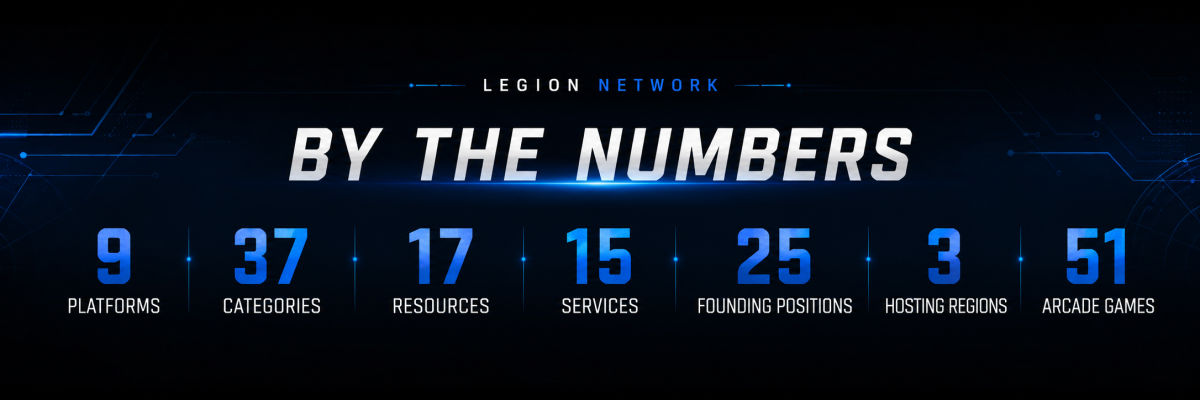
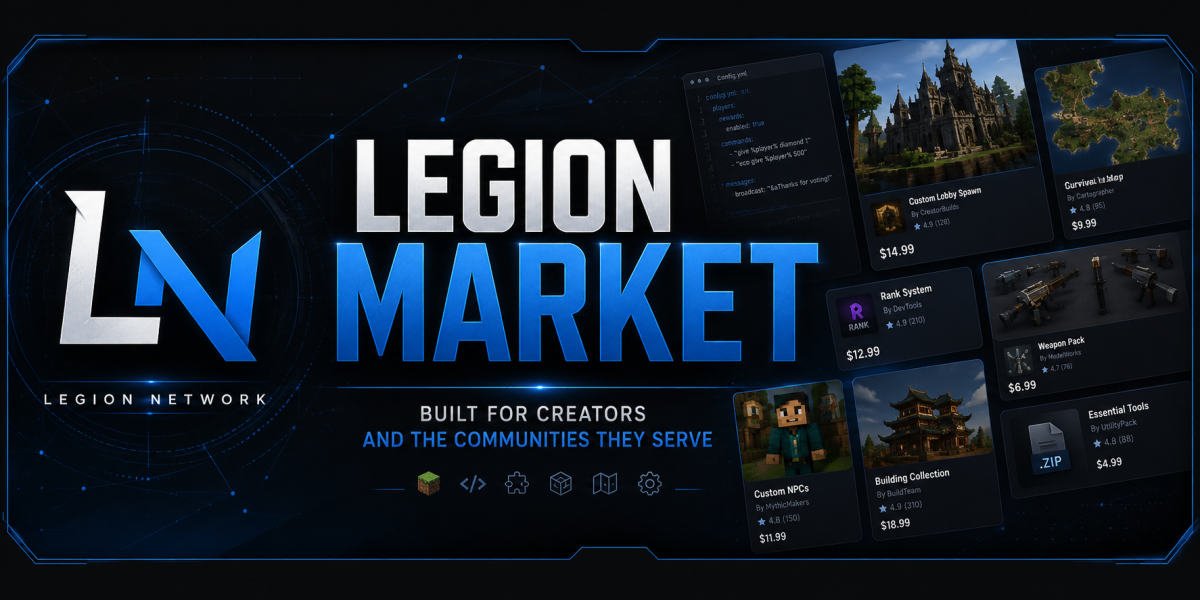
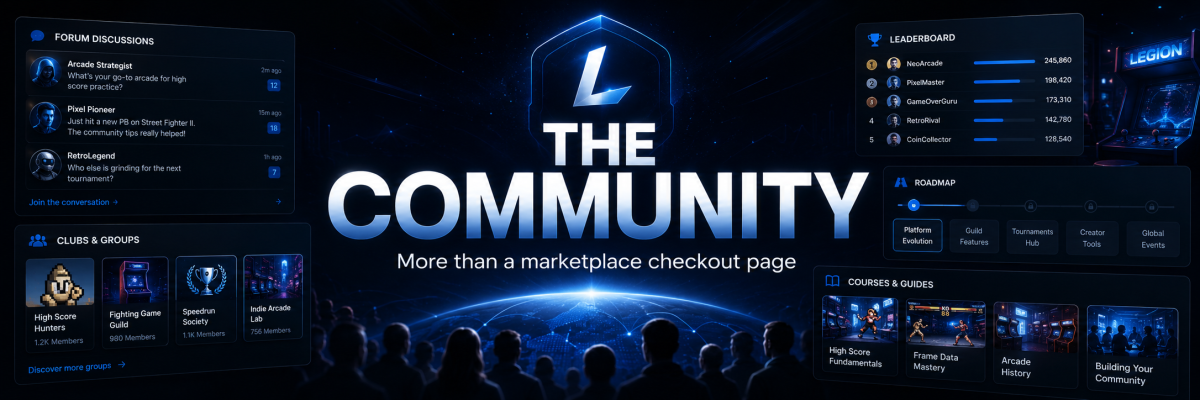
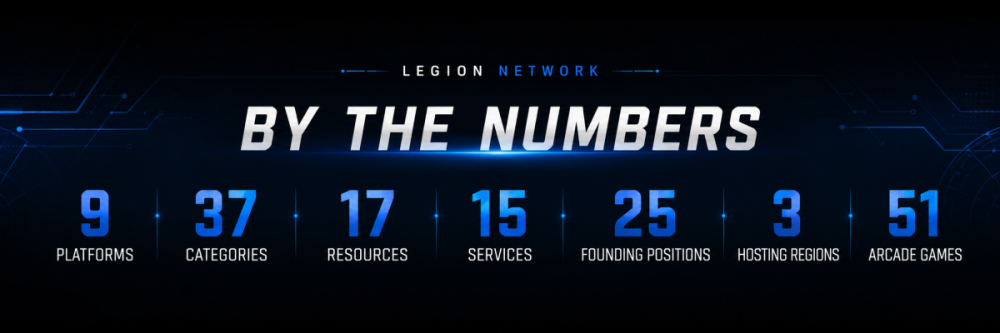
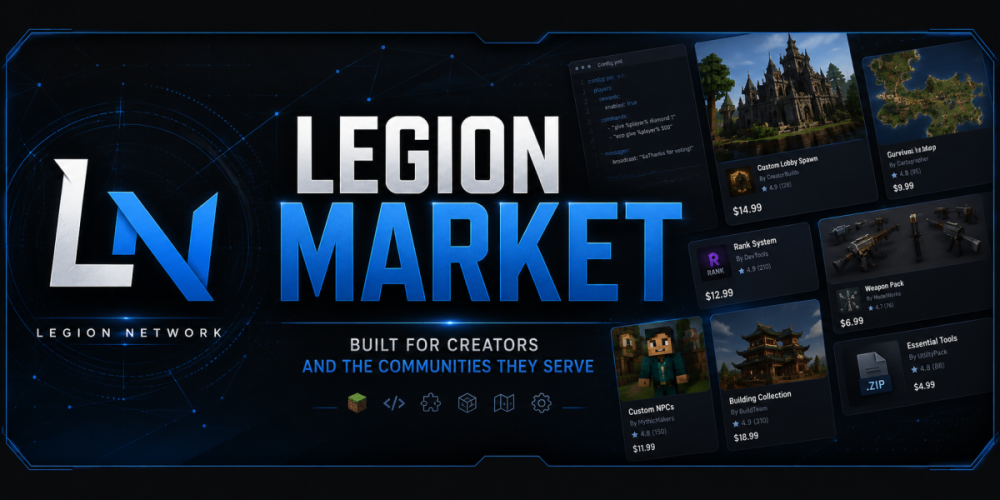
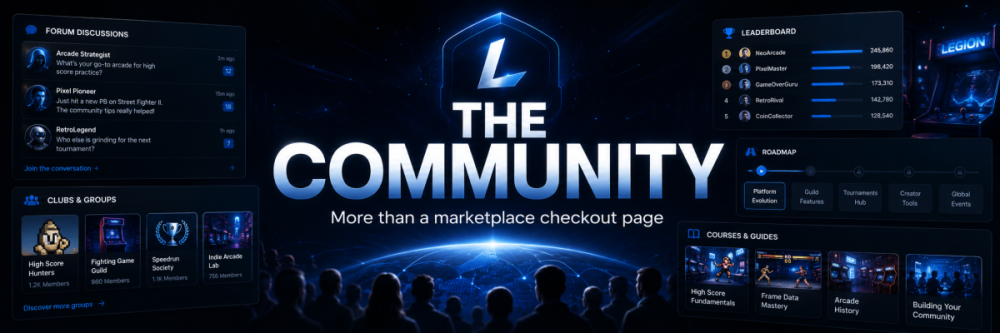
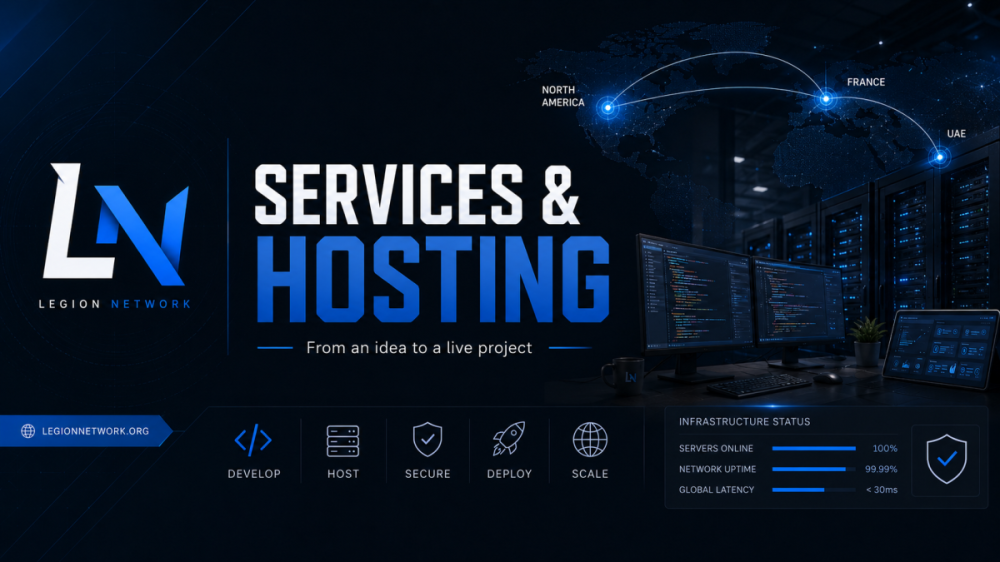
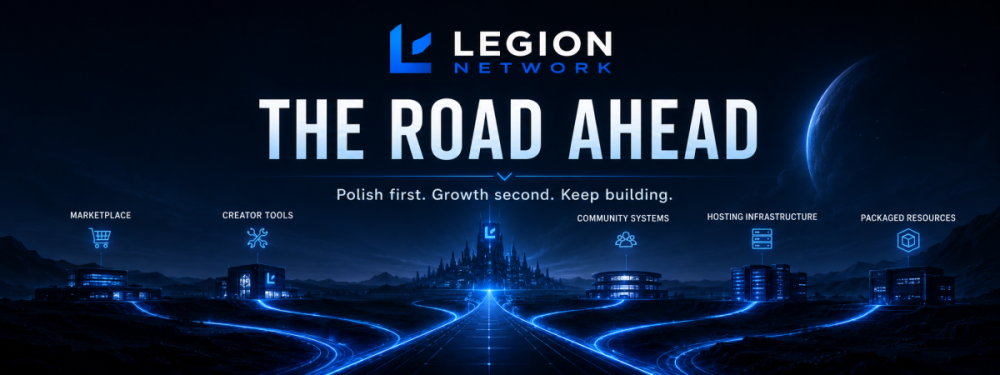
The longest Legion update yet: the rebuild, Legion Market, hosting, EastMC, Legion RSPS, and what comes next. Hey everyone, It has been way too long since I sat down and made a proper Legion News post. Our last one was posted back in September 2025, which is honestly a little ridiculous when I look at how much has happened since then. When I went back and read it, we were talking about MusicBox, SportsApp, a Downloads security update, and wrapping up the hosting platform. That version of Legion Network was not fake, but it was still a bunch of different projects trying to figure out what they were supposed to become. We have not been inactive since then. We did pretty much the opposite. We rebuilt the main website from scratch, formed Legion Network LLC, launched the foundation of Legion Market, brought our services and hosting into a much better system, expanded EastMC, pushed Legion RSPS much further than a basic side project, started turning our own work into products, and added more community systems than I can reasonably fit into a normal update. So this is not going to be a normal update. This is the catch-up post. Before getting into the meat & potatoes, I also want to be honest about where everything stands. Not every page is finished. Legion Market is still in beta. The Arcade works, but it needs a lot of polish. Some of our newer systems have the foundation ready but still need actual content and activity. I would rather say that directly than pretend every button we added represents a finished product. For the first time, though, Legion Network actually feels like the thing I have been trying to build instead of a collection of unrelated ideas. A Quick Honest Note From MeI have definitely tried to build too much at once. That is not exactly a secret. At different points, Legion Network has been a forum, a hosting company, a Minecraft network, an RSPS, a software studio, a marketplace, a wiki, and about six side projects all happening at the same time. The problem was never that those ideas could not belong together. The problem was that I had not built the thing connecting them. That is what most of the past year has been about. Legion Network is now officially Legion Network LLC, but this was not done just so I could put “LLC” in a footer and feel important. It gives us a real business foundation for hosting, marketplace transactions, creator relationships, services, licensing, and everything else we plan to operate long term. More importantly, the direction is finally clear: Legion Network is a place where creators can build and sell their work, server owners can find the products and help they need, communities can grow around those projects, and our own game servers can act as real testing grounds for what we develop. That is the idea behind: Build. Grow. Lead. The Legion Community Was RebuiltThe main Legion Network website was rebuilt from scratch using Invision Community 5. Instead of continuing to bolt more applications onto the old layout and hoping people somehow understood what Legion was supposed to be, we reorganized the entire experience around a few main parts: Legion Market Legion Services Legion Hosting Legion Community Our Game Studios The forums were also completely reorganized. We now have dedicated areas for announcements, marketplace help and safety, rules and guidelines, feedback, product discussions, service listings, showcases, recruitment, game updates, bug reports, suggestions, and general community activity. We also added or rebuilt systems for: Member profiles and recognition Clubs and private community spaces A proper Support Center Product roadmaps and public bug tracking Marketplace subscriptions Courses through Legion Academy Contests and recurring awards Service orders and tracked communication Creator and buyer tools The Legion Arcade The goal is not for Legion to feel like a checkout page with a Discord link attached to it. Someone should be able to join because they found a Minecraft plugin, stay because they discovered a community, hire someone to customize it, host the finished server through Legion (or your favorite provider, I won't hate you) and eventually publish something of their own. That is the network we are building. Some areas are still empty because they are new. I am not going to fill every page with fake conversations and placeholder content just to make the site look older than it is. The structure is there, and now we have to grow the activity inside it properly. At the time of this post, Legion Network includes: 9 supported marketplace platforms 37 marketplace categories 17 resource listings 15 service packages 25 Founding Creator positions 3 hosting regions 51 games inside the Legion Arcade Those numbers will change, but they show how much the scope of Legion has expanded since the last news post. Legion Market Is Finally RealLegion Market is easily the biggest addition since our last update. This is something I have wanted Legion Network to become for a long time, but I did not want to launch another basic Downloads page and call it a marketplace. The current Market supports resources for: Minecraft Roblox FiveM Rust Garry’s Mod Hytale Arma Discord Websites That includes plugins, scripts, maps, builds, server setups, models, vehicles, themes, bots, graphics, configurations, and other digital products. Every resource can have proper versions, updates, changelogs, reviews, creator teams, support information, compatibility details, licensing, usage limits, and a public roadmap. A buyer should be able to see what they are actually purchasing, when it was updated, what versions it supports, what problems are known, and whether the creator is still active. Creators should have somewhere to manage their listings, releases, customers, support, and earnings without giving up ownership of their work. At the time of writing, Legion Market has 17 resources and 15 service packages. Our current catalog includes projects such as: Legion WikiHub Duels Arena Bounty Board BloodTop Order Menu Passive Mode Mythic Lifesteal Mythic OneBlock JunkTycoon Compact Survival Professional Tropical Lobby We have also started seeing work published by other creators. LumenStudio has already brought LumenShards and LumenDuels to the marketplace. That mattered to me more than simply increasing the listing number. It was one of the first moments where Legion Market started feeling like a marketplace instead of me stocking my own shelf. The Market is still in beta, and the catalog is still small. I am not going to pretend we have thousands of creators or millions of customers. Nobody benefits from that kind of fake launch marketing. What we do have is a working foundation, real resources, actual checkout and licensing systems, and a clear direction. I genuinely believe Legion Market can become something important if we continue improving it and listen to the creators and server owners using it. We are not trying to clone one existing marketplace and change the colors. We are trying to build a marketplace that works across multiple games, gives creators more control, makes support and updates easier to understand, and connects products directly to services, hosting, and a community. Legion ShieldWe have also started introducing Legion Shield, which is our creator-protection and controlled-delivery system. I am not going to sell anyone magical anti-leak nonsense. There is no button on Earth that makes piracy disappear forever. What we can do is make theft more difficult, make downloads safer, create better records, and give creators stronger evidence when something goes wrong. Legion Shield is being built around: Private quarantine for uploaded files Archive and file validation Malware and unsafe-file screening Personalized customer deliveries Signed package records and manifests Controlled download grants Licensing and usage limits Better evidence for disputes and abuse reports We also rebuilt our marketplace rules, creator safety information, intellectual property reporting process, dispute handling, and security reporting. A marketplace cannot claim to care about creators while leaving them alone the second their work is stolen or a buyer dispute appears. We will not solve every problem perfectly, but there needs to be an actual process behind the promises. Founding Creator 25The Founding Creator 25 program is now live. This program is for the first 25 approved external creators who help us establish what Legion Market should look like. This is not simply the first 25 people who fill out a form. Applications are reviewed individually based on ownership, quality, readiness, support expectations, and whether the creator is actually prepared to maintain what they publish. Founding Creators receive: 12 months of Ultimate membership 0% Legion platform commission for those 12 months while Ultimate is active No marketplace exclusivity Priority onboarding Help migrating approved catalog content Featured launch placement Access to the private Founding Creator 25 Council Access to Legion Academy course tools A permanent Founding Creator badge A separately recorded founder number The creator keeps ownership of their work and can continue selling it anywhere else. The 0% commission benefit applies to Legion’s platform commission. It does not magically erase taxes, refunds, chargebacks, or payment-processor fees, because obviously it does not. The private Founding Creator Council is also important. I do not want to build the entire creator experience based only on what I think creators need. The people publishing, updating, supporting, and selling products should have a direct place to discuss what is working and what needs to change. I would rather launch with 25 creators who care about their work than accept 250 abandoned uploads just so we can advertise a larger number. Founding Creator 25 is meant to help us set the standard properly from the beginning. Legion ServicesLegion Market is not only about buying finished files. Sometimes a server owner finds something close to what they need but still requires installation, configuration, custom development, graphics, a website, or ongoing server management. That is where Legion Services comes in. We currently have 15 service packages covering areas such as: Minecraft plugin development Website development Website design Server setup and management Graphics and branding Larger custom platform builds Orders are handled through tracked workspaces instead of disappearing into random direct messages. A customer can submit a brief, communicate throughout the order, review progress, request changes, and receive the final delivery in one place. Eventually, I want more approved Legion creators to be able to provide services through this system as well. Someone who already builds and supports strong marketplace products should also have a way to offer customization without trying to manage the entire process through Discord tickets. Legion HostingLegion Hosting has also gone through a major rebuild. Minecraft hosting is currently available with: Full game-panel access NVMe storage DDoS protection Modpack, plugin, and proxy support Multiple memory options Automated deployment Support from the same team running Legion’s own projects Hosting is available across three main regions: Canada and the United States France The UAE The UAE region remains especially important because good hosting routes for the Middle East and South Asia are still much harder to find than they should be. Minecraft hosting is the current live focus. Web hosting, VPS options, and support for additional games are being prepared as the platform grows. I also want to give a special thank-you to the people who trusted us early on the hosting side. Early customers gave us a reason to improve the panel, deployment process, plans, support, and backend instead of leaving hosting as a nice-looking landing page with nothing behind it. Memberships, Academy, Roadmaps, and MoreWe now have two main community and creator memberships: VIP and Ultimate. VIP is aimed at active members and creators who want community benefits and a reduced Legion marketplace commission. Ultimate is aimed more directly at serious marketplace creators. It includes 0% Legion platform commission while active, the ability to submit paid marketplace listings, additional recognition, and access to creator-focused systems such as courses. Again, payment-processing costs and taxes are separate. “0% Legion commission” is not the same thing as pretending money can move around the internet for free. Public RoadmapsWe also added a public Roadmap system. Members can see reported bugs, feature requests, priorities, and planned work connected to listed products. This is something I wanted because buying software with no idea whether the developer is still working on it is miserable. A creator should be able to show what they are fixing, what they are considering, and what has already been completed. It also gives our own projects somewhere more organized to track feedback instead of losing every useful suggestion inside Discord. Legion AcademyThe Legion Academy foundation is now in place for courses covering topics such as content creation, development, design, server ownership, marketplace publishing, and community growth. The course catalog is not filled yet, and I am not going to act like an empty category is a full education platform. The important part is that the system now exists. Approved creators will eventually be able to create free or paid educational content around the work they already do. A plugin creator could teach configuration and deployment. A builder could teach environment design. A server owner could create onboarding material for their team or customers. That is where Academy fits into the larger Legion idea. Contests and AwardsWe have also installed the foundation for recurring contests, submissions, voting periods, awards, rewards, leaderboards, notifications, and member recognition. There are not a bunch of active contests running yet. Those will come as the community becomes more active and we have events worth organizing around. The system is ready. Now it needs good events instead of contests created purely to make the page look busy. Legion QuestsThe Legion quest system has also continued development. The idea is still to reward meaningful activity across the community, including forums, clubs, marketplace actions, reviews, uploads, events, and other areas. It has gone through several changes because I do not want a quest system that randomly grants rewards, misses triggers, or becomes easy to abuse. It will be treated as active when it is reliable enough to deserve that label. EastMCEastMC has changed a lot since our last Legion News post. It has grown into the competitive Minecraft side of Legion Network, with its original UAE community still at the center of the project. The network is currently focused around: Lifesteal LegionTiers Competitive PvP and practice Events and scrims Public rankings and progression Lifesteal remains the high-stakes survival side of EastMC, where hearts, teams, economy, and PvP decisions matter. LegionTiers is being built around proving and tracking player skill across modes such as NoDebuff, Boxing, Build UHC, Crystal, Sword, SMP, and more. We have also rebuilt the EastMC website, improved voting and server-list visibility, continued developing the wiki and tier systems, invested in new server cores, arenas, spawns, and other assets, and worked on giving players better regional routes. Players can currently connect through: play.eastmc.fun for the main UAE route fr.eastmc.fun for Europe us.eastmc.fun for North America EastMC is not perfect, and I am not going to pretend every queue, mode, or system is already where it needs to be. There have been bugs, delayed launches, systems that needed to be replaced, and things that looked better on paper than they did with actual players. The important difference is that EastMC now has a clearer identity. It is not trying to be every kind of Minecraft server. It is a competitive network with UAE roots, Lifesteal, practice, tier tracking, and room to expand into more PvP-focused experiences. EastMC also gives Legion Network Studios somewhere to test our own work under real conditions. A plugin may look perfect on a development server with two people online. It is a different story when actual players start clicking everything, finding every edge case, and breaking the one feature nobody thought they would touch. That experience directly improves the products we eventually release through Legion Market. Legion RSPSLegion RSPS has probably received more behind-the-scenes work than most people realize. The goal is a connected 2009-era RuneScape private server built around long-term progression, skilling, combat, bossing, events, and a player-driven economy. Since our last major Legion update, we have worked on: A dedicated Legion RSPS website Shared website and game accounts Native macOS and Windows launchers A cross-platform client Live save-backed Hiscores Boss and skill rankings Player profiles Voting and reward systems A searchable player Wiki Guides and support information Server status information News and update pages Continued game and client fixes We also completed a major Evil Tree rebuild with new visual states, roots, kindling, fires, caretaker behavior, rewards, cleanup, and safer client handling. The server continues to receive content work, quality-of-life changes, boss fixes, diary audits, and stability improvements. Legion RSPS is not just a logo and a landing page anymore. The website, client, accounts, rankings, and game world are now being connected into one project. It is still being developed, but it is real, playable, and moving forward. Building Our Own ProductsLegion Network Studios is the development and production side of Legion Network. For a long time, most of our work involved configuring existing tools, purchasing assets, fixing server setups, and trying to connect software that was never designed to work together. We are still going to use good third-party tools when they make sense. There is no prize for rebuilding a worse version of something that already works. But we are also moving toward creating more original products based on problems we have actually faced ourselves. That includes: Minecraft plugins Complete Minecraft server setups Rust plugins Invision Community applications Website systems Graphics and media Documentation and deployment tools Some of these products are already available through Legion Market. Others are currently being built or planned around real needs we have found while operating Legion, EastMC, hosting, and other communities. Our active development work includes ideas around: Cross-server item transfers and staff-reviewed escrow Better region and claim systems Competitive server tools Lightweight voting rewards Rust property and private-event systems Improved subscription choices Marketplace referrals and creator commissions Structured moderation cases and evidence Better creator licensing and delivery Arcade games and community competition Not all of those are released. I have done enough “coming soon” announcements to know that an idea does not become a product just because it has a name and a nice graphic. Anything we sell needs to be developed, tested, documented, packaged, and supported properly. Where possible, Minecraft products will be tested on EastMC. Rust products will be tested on our own Rust infrastructure. Invision applications will be tested against Legion Network before we expect another community owner to trust them. We are also working toward releasing useful free products. The goal is not simply to have more listings. The goal is to have products worth listing. What Comes NextThe next stage is not adding twenty more sections to the navigation. It is polishing and growing what is already there. Our immediate priorities are: Continue Building Legion MarketWe need more strong creators, more useful resources, better onboarding, clearer documentation, more reviews, and continued improvements to buyer and creator tools. Founding Creator 25 will be a major part of that. Keep Improving EastMCEastMC needs continued server polish, bug fixes, stronger competitive systems, better events, improved player onboarding, and more consistent marketing. The foundation is there. Now it needs players, feedback, and repeated improvement. Expand Legion Hosting CarefullyMinecraft hosting is the current focus. Web hosting, VPS plans, and additional game-server options will be rolled out as the systems and support are ready. I would rather launch one service properly than advertise six services we cannot support well. Continue Legion RSPS DevelopmentThe website and account systems are much stronger now, but the game itself will continue receiving content, stability work, events, progression improvements, and quality-of-life updates. Release More Original ProductsLegion Network Studios will continue building software and resources based on problems we have encountered ourselves. Some will be paid. Some will be free. All of them need to be useful. Post Updates More ConsistentlyI have not been great about stopping development long enough to explain what has changed. That needs to improve. I do not want the next Legion News post to require another complete history lesson just to catch everyone up. Thank YouTo everyone who has registered, played EastMC, tested Legion RSPS, purchased hosting, published a resource, reported a bug, shared feedback, joined the Discord, or simply checked back to see whether Legion was still alive, thank you. Some of you have watched Legion disappear, return, change direction, rebuild, and then rebuild parts of the rebuild. I know that can be frustrating. A lot of this has been built late at night around work, real life, and every other responsibility that refuses to politely pause while someone builds a gaming network. That is not an excuse for the silence, but it is the truth. Legion has taken longer than I wanted, cost more than I originally planned, and been rebuilt more times than any reasonable person would recommend. But it is finally becoming what I originally had in my head. A network where creators can build something, communities can grow around it, and the people leading those projects have the tools and support to keep going. We still have a long way to go. But we are still here, and we are building more seriously than ever. Build. Grow. Lead. - Alonzo Legion Network LLC


-
 Building an online game project usually means stitching together a marketplace, a developer, a hosting provider, a support Discord, and a collection of tools that barely acknowledge one another. Legion Network exists to bring those pieces into one connected ecosystem. Legion Network is an independent creator, marketplace, hosting, services, and gaming community based at legionnetwork.org. It helps creators publish and protect digital work, gives server owners a clearer way to discover or commission resources, and provides the infrastructure and community support needed to launch, operate, and grow online projects. Why Legion Network ExistsGame creators and community owners do not struggle because they lack ideas. They struggle because turning an idea into a reliable product or live server requires too many disconnected services. A creator may sell through one marketplace, provide support somewhere else, host documentation on another platform, and rely on tools that offer little protection when a file is redistributed. A server owner may buy a plugin from one seller, hire a developer through another site, host the server with a third company, and then try to coordinate everything through private messages. Legion Network is being built to shorten that distance between an idea and a working project. The goal is not to trap users inside a closed platform. It is to give creators, buyers, developers, and community owners a more direct path from finding a resource to customizing it, hosting it, supporting it, and building a community around it. Legion Market: Digital Products for the Platforms People Actually UseLegion Market is the digital marketplace at the center of the network. It gives creators a place to publish original products and gives buyers a structured way to evaluate what they are installing before they purchase it. The marketplace supports multiple creator ecosystems, including: Minecraft plugins, builds, configurations, and complete server setups Roblox scripts, maps, models, and user-interface assets FiveM scripts, vehicles, and maps Rust plugins, maps, prefabs, and monuments Garry’s Mod scripts, gamemodes, and maps Hytale plugins and builds Arma missions and mods Discord bots, graphics, and community assets Website templates, store themes, and panel themes Listings are designed around more than a download button. Creators can publish versioned releases and changelogs, communicate support expectations, and manage licensing. Buyers can review current versions, compatibility information, update history, reviews, and creator support details before committing to a product. That structure matters. Digital products are not static boxes on a shelf. They change as games update, APIs break, communities grow, and customer needs evolve. Legion Market is designed to make that lifecycle visible. Legion Services: Commission the Work Your Project Still NeedsNot every project can be completed with an off-the-shelf download. Legion Services provides a tracked place to commission custom work from Legion contributors. Available work can include custom Minecraft plugins, web-development features, server graphics, setup assistance, production help, and other project-specific services. Instead of scattering a brief, revisions, progress updates, and final files across unrelated messages, the service process keeps the order in one workspace. The basic flow is straightforward: Choose a service package. Submit the project brief. Review progress and revisions. Receive the completed work and files. This gives server owners a clear path forward when an existing resource is close to what they need but not quite enough. Legion Hosting: Infrastructure With a Community Behind ItLegion Hosting is the infrastructure branch of Legion Network. It is being developed around game-server hosting, web hosting, and virtual private servers, with clear region and plan selection for both experienced operators and first-time server owners. Current availability is displayed directly on the hosting site. Minecraft hosting includes plan-based memory options, full game-panel access, NVMe storage, DDoS protection, and support for common server software, modpacks, plugins, and proxy configurations. Customers can choose deployment regions serving Canada and the United States, Europe through France, and the Middle East and South Asia through the UAE. The larger purpose is not merely to rent server space. Legion Hosting is connected to the same team and community that builds products, operates game servers, supports creators, and works with server owners. That creates a more practical support environment than sending a ticket into a company that has never configured the software its customers actually use. Legion Shield: Controlled Distribution for Creator ReleasesDigital creators should not have to choose between reaching customers and surrendering all control over how their work is distributed. Legion Shield is Legion Network’s controlled-distribution and evidence layer for marketplace software. Supported releases can move through private quarantine, structural validation, malware screening, personalized delivery artifacts, signed manifests, one-use delivery grants, and human-reviewed evidence workflows. Legion Shield does not pretend that every leak can be prevented or that automated screening can prove software is harmless. Its purpose is more grounded: reduce avoidable distribution risk, keep approved files outside the public web root, personalize eligible deliveries, preserve evidence, and leave enforcement decisions to human review with an appeal process. That distinction is important. Security theater is easy. Building a system with clear limits, documented evidence, and accountable review is harder and considerably more useful. A Community, Not Just a Checkout PageLegion Network is also a place for the conversations that continue after a purchase or launch. The Legion Community forums include spaces for announcements, marketplace help and safety, rules and guidelines, feedback, showcases, collaboration, recruitment, development, design, marketing, server administration, hosting discussions, and professional services. The community layer gives members somewhere to: Ask questions before choosing a product or service Share projects, portfolios, and completed work Find collaborators, developers, designers, and staff Suggest marketplace or platform improvements Get help with accounts, listings, licensing, and support Follow product updates and network announcements A healthy marketplace needs more than sellers and buyers. It needs visible standards, useful discussion, feedback loops, and people who remain present after the transaction. Built From Real Game-Server ExperienceLegion Network is not being designed from the perspective of a company that only sells infrastructure or processes transactions. The network also develops products and operates game communities. Projects connected to Legion include competitive Minecraft environments such as EastMC and the Legion RSPS community. Running live projects exposes the practical problems that polished marketing pages tend to omit: deployment failures, plugin conflicts, player support, updates, abuse prevention, latency, content production, monetization, and the relentless creativity users display when discovering unintended mechanics. That operational experience influences how Legion approaches marketplace listings, custom services, hosting, creator protection, documentation, and community support. Who Is Legion Network For?Creators and developersLegion Network is for plugin developers, builders, designers, scripters, modelers, map makers, setup creators, web developers, and other digital creators who want to publish original work, manage releases, support customers, and build a lasting catalog. Server owners and community leadersIt is for people launching or improving Minecraft, Roblox, FiveM, Rust, Garry’s Mod, Hytale, Arma, Discord, and other online communities who need reliable products, custom development, hosting, operational help, or knowledgeable support. Buyers who want more transparencyIt is for customers who want to see compatibility, version history, planned work, support expectations, and creator activity before installing something into a live project. People who want to build with othersIt is for members who want to learn, collaborate, showcase work, join a project, recruit contributors, or take an idea beyond a private folder and into the world. What Makes Legion Network Different?Legion Network is not one isolated product. It is a connected path through the major stages of building and running a digital project: Discover: Find ready-made digital products through Legion Market. Customize: Commission development, design, setup, or production work through Legion Services. Protect: Distribute supported creator releases through Legion Shield’s controlled workflow. Launch: Deploy infrastructure through Legion Hosting. Support: Use documentation, creator support, private tickets, forums, and community knowledge. Grow: Publish updates, build a reputation, find collaborators, and develop a community around the project. Each division has a specific purpose, but they share one broader mission: help people build better projects without forcing them to assemble every part alone. How to Get StartedThe best starting point depends on what you are building: Browse Legion Market to find plugins, builds, setups, scripts, maps, models, website assets, and other digital products. Visit Legion Services when your project needs custom development, design, configuration, or production work. Explore Legion Hosting to review current game-server, web-hosting, and VPS availability. Read about Legion Shield if you create or purchase supported marketplace software. Join the Legion Community forums to ask questions, share work, follow updates, or meet collaborators. Use the Legion Wiki for installation, configuration, update, and troubleshooting documentation. Frequently Asked QuestionsIs Legion Network a cryptocurrency or blockchain project?No. Legion Network at legionnetwork.org is an independent gaming, creator, marketplace, services, hosting, and community ecosystem. It is not affiliated with the similarly named Legion Network Crypto SuperApp, the LGX token, or any Web3, NFT, staking, wallet, or blockchain platform. What is Legion Market?Legion Market is a multi-platform marketplace for digital products used by game servers, creators, developers, and online communities. Its categories cover platforms such as Minecraft, Roblox, FiveM, Rust, Garry’s Mod, Hytale, Arma, Discord, and websites. Can creators sell their work on Legion Network?Yes. Creators can register, prepare listings, publish products in supported categories, issue versioned releases, maintain changelogs, define support expectations, and manage their catalog under the applicable marketplace rules. Does Legion Network offer custom development?Yes. Legion Services includes commissioned development, design, setup, and production packages. Available services and their current scopes are listed in the service marketplace. Does Legion Network provide game-server hosting?Yes. Legion Hosting provides current hosting options through its separate hosting site. Minecraft plans are available, and the platform is being expanded across additional hosting services and game types. What is the official Legion Network website?The official home of this Legion Network is legionnetwork.org. Official hosting information is published at hosting.legionnetwork.org. Build. Grow. Lead.Legion Network is being built for the people who create digital products, the people who operate game servers, and the communities that give those projects a reason to exist. The network will continue to evolve, but the direction is simple: make it easier to find good work, support creators, commission what is missing, protect releases, launch reliable infrastructure, and grow alongside people who understand what it takes to keep an online project alive. Build something worth joining. Grow it with the right tools and people. Lead the community that forms around it.
 -
Effective date: July 29, 2026 Last updated: July 29, 2026 Purpose Give members one public place to ask how an approved Legion Market policy applies without turning the topic into a private support or accusation thread. Scope Use this topic for general questions about listing rules, reviews, safety, support routing, and policy wording. It does not decide a live case. 1. Before posting 1. Read Start Here: https://legionnetwork.org/index.php?/forums/topic/19-start-here-how-legion-market-works/ and the Marketplace FAQ: https://legionnetwork.org/index.php?/forums/topic/21-marketplace-faq/. 2. Ask one general policy question at a time. 3. Use a hypothetical or remove identifying details. 4. If the answer depends on a transaction, listing, user, file, or private evidence, use the listing Report control or Contact Us for routing instead. 2. Do not post Do not include: 1. private order information; 2. payment details; 3. license keys or activation identifiers; 4. personal information; 5. security exploits or malware samples; 6. copyright evidence containing private information; 7. public scam accusations while a private case is being investigated; 8. passwords, tokens, private logs, or complete support conversations. Staff may remove exposed information and redirect the question without deciding the underlying case publicly. 3. Questions that belong elsewhere - Installation or bug help: creator support. - Misleading listing or conduct: the Report control on the affected listing. - Payment, delivery, or scope: creator support first, then Contact Us for routing if needed. - Rights ownership: the listing Report control and Contact Us for routing. - Malware or vulnerability: the listing Report control and Contact Us; do not attach live malware or exploit instructions. - Review moderation: Contact Us for routing without posting private evidence publicly. 4. Staff responses 1. Explain the published rule in plain language. 2. Avoid revealing case information. 3. Label an answer as guidance when owner or legal review is still required. 4. Update the authoritative policy instead of creating conflicting exceptions in replies. 5. Link to the current policy revision. No forum reply creates a refund, payout, license, contract, or legal guarantee. Practical examples - Good: “Should a creator list an optional premium dependency if the base product works without it?” - Private case instead: “Order 123 used my payment card and this creator is a scammer.” How to report a violation Use the Report control on the affected listing, or Contact Us at https://legionnetwork.org/index.php?/contact/ for routing. Do not paste evidence into this topic. Possible enforcement outcomes Possible outcomes may include an edit request, privacy redaction, post removal, topic restriction, warning, or account action for repeated harmful disclosure or harassment. Appeal or review path Policy wording concerns may be raised here. For a case decision, ask for review through the same private contact path and include the existing reference. Published guidance Start Here: https://legionnetwork.org/index.php?/forums/topic/19-start-here-how-legion-market-works/ Marketplace FAQ: https://legionnetwork.org/index.php?/forums/topic/21-marketplace-faq/ Reporting Listings, Users, and Conduct: https://legionnetwork.org/index.php?/forums/topic/24-reporting-listings-users-and-conduct/ Buyer Safety Guide: https://legionnetwork.org/index.php?/forums/topic/22-buyer-safety-guide/ Creator Safety Guide: https://legionnetwork.org/index.php?/forums/topic/23-creator-safety-guide/
-
Effective date: July 29, 2026 Last updated: July 29, 2026 Purpose Route marketplace concerns to the smallest appropriate reporting path while keeping public forums free of evidence, accusations, and personal information. Scope Applies to listing accuracy, user conduct, reviews, transactions, copyright, security, malware, licensing abuse, and anti-leak concerns. 1. Choose the current path 1. Creator support: installation, configuration, or reproducible product problems. 2. Listing Report control: misleading content, impersonation, harassment, spam, prohibited products, suspected copyright issues, malware, licensing abuse, or other listing-specific concerns. 3. Contact Us: general routing, account, payment, delivery, or scope questions when the listing Report control is not the right fit. Use https://legionnetwork.org/index.php?/contact/. Do not include payment credentials, license keys, passwords, malware files, exploit instructions, or unnecessary personal information in an initial report. Staff may request an appropriate private follow-up method when needed. 2. What to include 1. Public URL or stable listing/user reference. 2. Concise description of the issue. 3. Dates and version where relevant. 4. The specific rule or claim involved. 5. Minimal redacted evidence. 6. Steps already taken, if safe. 7. Requested review or outcome, without assuming entitlement. 3. What not to include Do not submit or publish: - account passwords, access tokens, recovery codes, cookies, or API secrets; - full payment credentials or unnecessary transaction records; - license keys or activation identifiers; - personal information not strictly required; - live malware in a generic attachment field; - exploit instructions in a public topic; - private messages unrelated to the issue; - public accusations intended to pressure an outcome. Do not send sensitive security or copyright evidence until staff provides an appropriate private method. 4. Public discussion rules Marketplace Questions must not host: 1. private order information; 2. payment details; 3. license keys; 4. personal information; 5. security exploits or malware; 6. copyright evidence containing private information; 7. public scam accusations during a private investigation. Staff may close or remove exposed material and direct the member to a private path. That action protects the case; it does not decide its merits. 5. Staff handling When a report is accepted for staff review, handling may include: 1. acknowledge and classify the report without promising an outcome; 2. restrict access to need-to-know staff; 3. redact or isolate sensitive attachments; 4. preserve relevant marketplace state and audit references; 5. check conflicts of interest; 6. request only the missing evidence needed; 7. separate platform-rule decisions from payment or legal decisions; 8. give the affected user a fair opportunity to respond where safe and lawful; 9. record the outcome and appeal path; 10. escalate urgent security, safety, or legal matters. No response-time guarantee is approved. 6. Abuse of reporting Knowingly false reports, fabricated evidence, impersonation, repeat submission after a final decision without new information, threats, retaliation, and public pressure campaigns may result in action. Good-faith reports are not violations merely because staff cannot substantiate them. Practical examples - A wrong compatibility claim: Listing or User Report. - A plugin crash after installation: creator support first. - A promised deliverable not supplied: Transaction Dispute. - A copied map owned by the reporter: Copyright or IP Notice. - An undisclosed credential webhook: Security or Malware Report. - A low rating with no rule issue: not a report merely because it is negative. Possible enforcement outcomes Possible outcomes may include routing guidance, a correction request, evidence preservation, privacy redaction, review action, listing restriction, release hold, account restriction, no action, or referral to an appropriate payment or legal process. Appeal or review path Ask for review through the same private contact path with the original reference, claimed error, and new or overlooked evidence. Published guidance Start Here: https://legionnetwork.org/index.php?/forums/topic/19-start-here-how-legion-market-works/ Marketplace FAQ: https://legionnetwork.org/index.php?/forums/topic/21-marketplace-faq/ Buyer Safety Guide: https://legionnetwork.org/index.php?/forums/topic/22-buyer-safety-guide/ Creator Safety Guide: https://legionnetwork.org/index.php?/forums/topic/23-creator-safety-guide/ Marketplace Policy Questions: https://legionnetwork.org/index.php?/forums/topic/25-marketplace-policy-questions/
-
Effective date: July 29, 2026 Last updated: July 29, 2026 Purpose Help creators protect their work, accounts, customers, and reputation without using abusive licensing or retaliation. Scope Applies to listing preparation, release delivery, support, licensing, commissioned access, suspected leaks, reviews, and private report evidence. 1. Protect the creator account 1. Use a unique password and available account-security controls. 2. Do not share the owner account with team members. 3. Give collaborators only the access needed for their role. 4. Remove access when a collaboration ends. 5. Keep signing keys, upload credentials, payment credentials, and source repositories out of listing files and support messages. 2. Prepare releases safely 1. Build releases from a known source revision. 2. Remove secrets, customer data, internal logs, and development-only files. 3. Record version, file hashes, build inputs, dependencies, and a concise changelog privately. 4. Test installation and upgrade in a clean environment. 5. Keep a recoverable copy of each published release and its license terms. 6. Treat an unexpected binary, outbound connection, or dependency as a stop condition until explained. 3. Use licensing proportionately 1. Tell buyers what a license check does before purchase. 2. Collect only what is needed for the stated license purpose. 3. Provide a private method to resolve activation errors and false positives. 4. Do not harvest credentials, secretly administer a server, delete files, disable unrelated services, or punish players. 5. Do not publish a suspected leaker's identity, IP address, purchase record, server data, or personal information. 6. Support legitimate transfers when the published license permits them. 7. Licensing and customer-data practices must follow applicable Legion privacy requirements and law. 4. Handle commissioned access 1. Ask for a temporary account or scoped token, not a permanent owner password. 2. State what systems and data will be accessed. 3. Keep customer information out of local test fixtures and screenshots. 4. Record handoff, remove access, and return or delete customer material under the approved process. 5. Report an accidentally exposed credential privately and ask the customer to rotate it. Do not quote or test it. 5. Respond to support and reviews 1. Keep the support channel current. 2. Separate reproducible support issues from review moderation. 3. Do not pressure a buyer to change a rating. 4. Answer factual criticism with evidence and a fix where possible. 5. Report a review only for a policy reason such as fabricated experience, conflict, private information, threats, or irrelevant content. 6. Do not retaliate through license cancellation, service denial, or public accusations merely because feedback is negative. 6. Report suspected leaks privately 1. Preserve the minimum lawful evidence. 2. Do not download from a leak site when doing so creates additional risk or infringement. 3. Use the Report control on the affected listing or Contact Us at https://legionnetwork.org/index.php?/contact/ for private routing. 4. Identify the product/version, the location, why distribution appears unauthorized, and any non-sensitive matching evidence. 5. Allow staff to assess authorization, open-source rights, transfer claims, false positives, and privacy risk before action. Practical example A license server sees two activations after a hosting migration. The safe response is to pause only the disputed activation, contact the buyer privately, and offer a reset/review. Remotely deleting the server or posting the buyer's IP address is prohibited. How to report a violation Use the Report control on the affected listing or Contact Us at https://legionnetwork.org/index.php?/contact/ for routing. Do not place personal information, license keys, or sensitive leak evidence in a public post. Possible enforcement outcomes Possible outcomes may include a correction request, listing or release hold, licensing-practice review, support restriction, review moderation, account restriction, or legal escalation. Legion does not promise recovery of leaked copies. Appeal or review path Ask for review through the same private contact path with the existing reference and non-sensitive evidence. Published guidance Creator and Listing Guidelines: https://legionnetwork.org/index.php?/forums/topic/20-creator-and-listing-guidelines/ Buyer Safety Guide: https://legionnetwork.org/index.php?/forums/topic/22-buyer-safety-guide/ Reporting Listings, Users, and Conduct: https://legionnetwork.org/index.php?/forums/topic/24-reporting-listings-users-and-conduct/ Marketplace Policy Questions: https://legionnetwork.org/index.php?/forums/topic/25-marketplace-policy-questions/